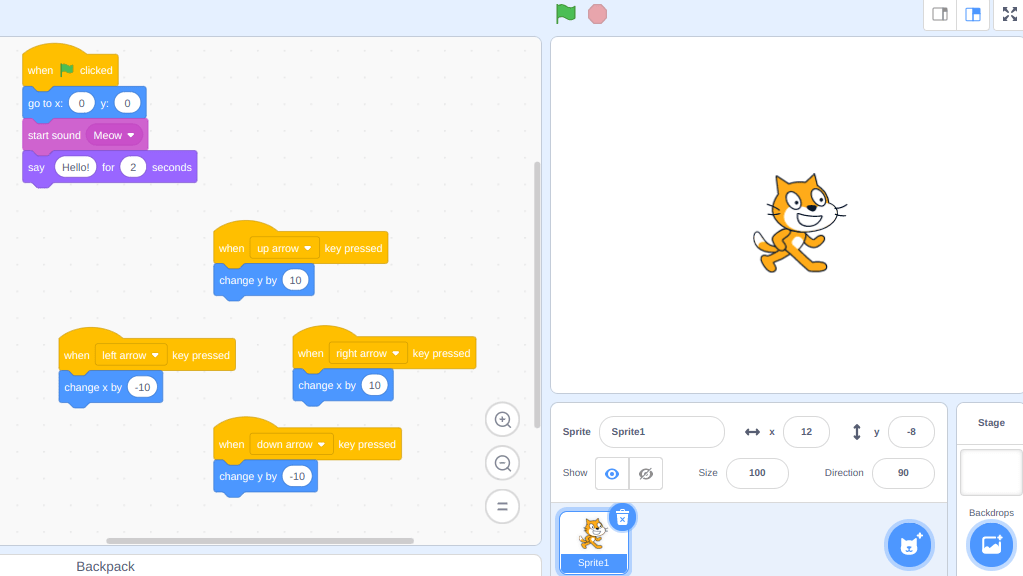
In this first lesson with scratch we will code Scratchy the cat to be controlled by the arrow buttons. Then we will add another sprite, and code that sprite to be controlled by the mouse.
Part 1
Follow the directions below so you can control Scratchy with the arrow buttons
Part One – https://scratch.mit.edu/projects/313650822

Part 2 –
Now follow the directions below to code your next sprite to be controlled by the mouse.
Part 2 – https://scratch.mit.edu/projects/479933030
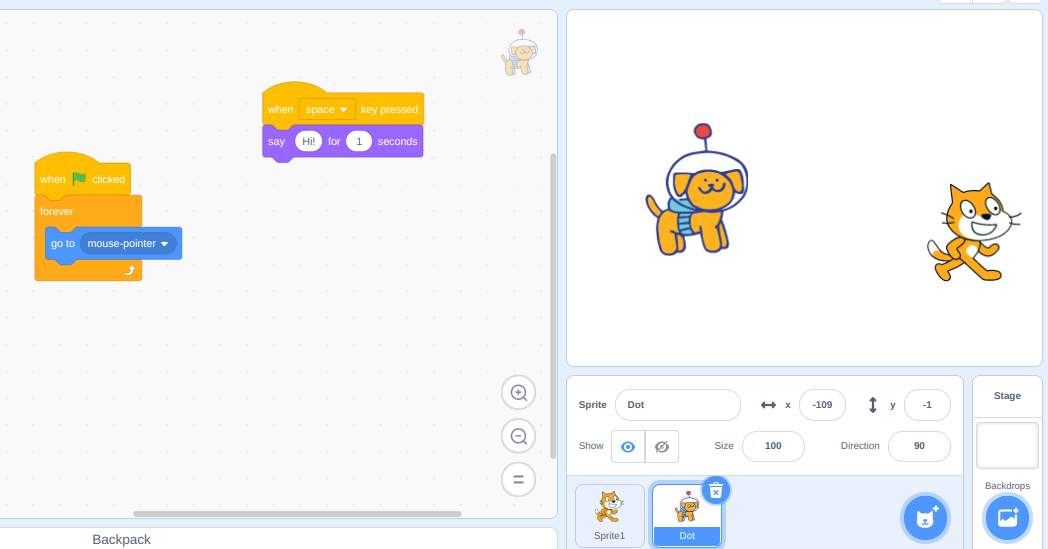
part 3
Now let’s add a background and some code so that when the sprites bump into each other, something happens. For example- https://scratch.mit.edu/projects/481316008


 Teacher's Notes
Leave a comment